SUMMARY
Explore teaching general music through a culturally responsive lens. Part 5: Ideas on how to teach singing in an online setting.
by Manju Durairaj





Explore teaching general music through a culturally responsive lens. Part 5: Ideas on how to teach singing in an online setting.
by Manju Durairaj
The ideas, notes, and materials are the intellectual property of Manju Durairaj. Please use and adapt them for use in your music room. However, you do not have permission to share without the express permission of the author.
Singing during this time has proven very difficult. I find that recording myself works best to teach singing in a virtual format, whether synchronously or asynchronously. Google Slides and Seesaw are both effective platforms for students to watch pre-recorded videos of me singing. In the two lessons below, we will explore using both.
To teach this familiar chant and song, we will explore Google Slides and SongMaker (see Part 3 of this article series). The lesson’s goals include identifying the number of sounds on each beat, exploring the melodic contour, and recreating the melody.
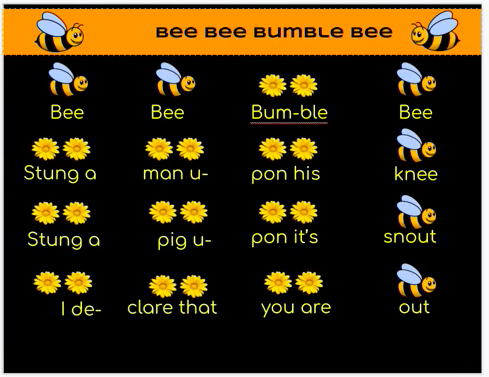
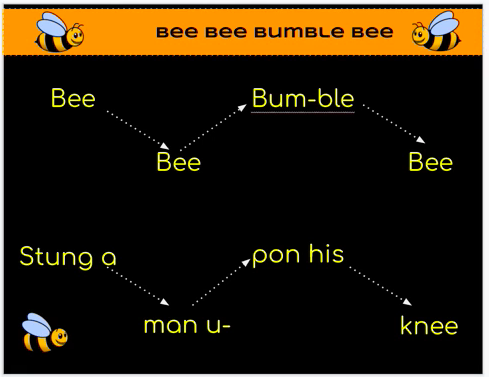
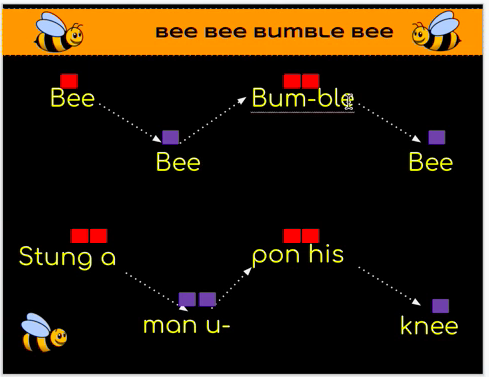
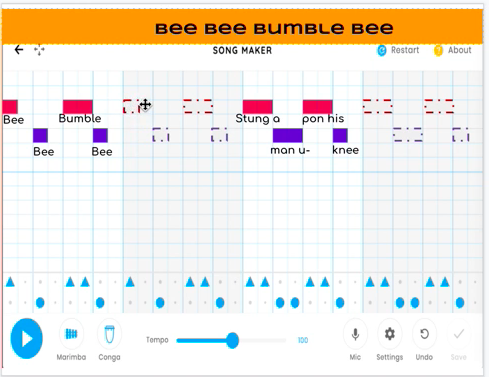
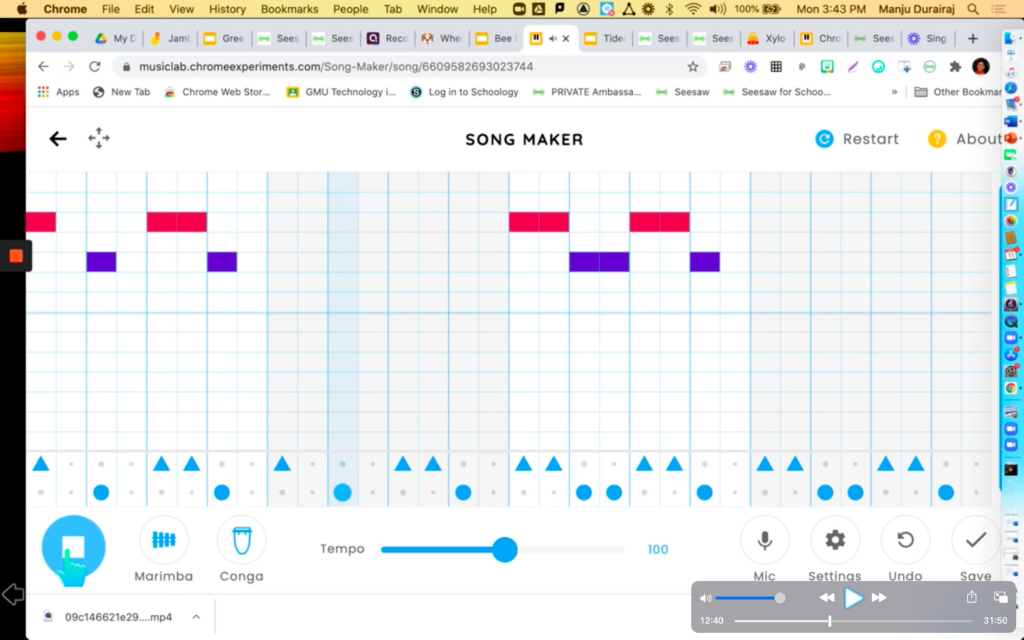
Traditionally, general music teachers will add clapping games and a variety of instruments to accompany this popular folk song. I have adapted the activity to include items students might have in their homes in the virtual setting. Using Google Slides and Seesaw, I can connect with my students in a meaningful way.
The following article, Part 6: Chanting and Hand-Clapping Games from a Distance, will examine ways to teach hand-clapping games and chants in virtual settings.
Part 1: Detangling the Terminology
Part 2: Creating a Learning Partnership
Part 3: Technology and the Music Room
Part 4: Opening Routines – Creating Connections
Part 5: Teaching Singing the Virtual Way
Part 6: Chanting and Hand-Clapping Games from a Distance
Part 7: Integrating Dance in an Online Setting
Part 8: Playing & Performing With Online Musical Tools
Part 9: Video – Sing, Say, Dance and Play in a Responsive Way
Contributor
Manju Durairaj was born and raised in India, studied in Pune, India, and was involved in graduate research projects on comparative pedagogical practices of Indian (Carnatic) and Western Music at Middlesex University, London, UK. She graduated with her second…
Discover more from Manju Facebook
 Twitter
 Pinterest
 LinkedIn
 Email
Email Print
Print