SUMMARY
History will remember 2020 as the year music educators reinvented how to teach general music to young students. Whether in remote, hybrid, or f2f learning with restrictions, an online classroom platform can be useful.
by Amy Burns




History will remember 2020 as the year music educators reinvented how to teach general music to young students. Whether in remote, hybrid, or f2f learning with restrictions, an online classroom platform can be useful.
by Amy Burns
History will remember 2020 as the year music educators reinvented how to teach general music to young students.
We are teaching remotely or in hybrid to face-to-face (f2f) with restrictions. Most music educators have had to adapt to a unique teaching scenario and be prepared at a moment’s notice to switch into a different teaching model. Technology, once a passive tool an elementary music teacher used intermittently, has become one of our primary teaching vehicles.
Even if you teach f2f with no hybrid students, an online classroom platform can be useful. It can allow you to post videos of songs and to collect videos of students singing or performing on instruments. If you are teaching remote or hybrid, an online classroom platform is a necessity to communicate with your students.
Typically, your district will assign an online platform for their schools. Here are some common online classroom platforms and ideas on successfully navigating using them with elementary music students.
As a side note, I hesitate to label some of the items below a Learning Management System (LMS) as some do not fit that classification. Therefore, I classified them all as online classroom platforms as they can be used in a classroom setting and are cloud-based.
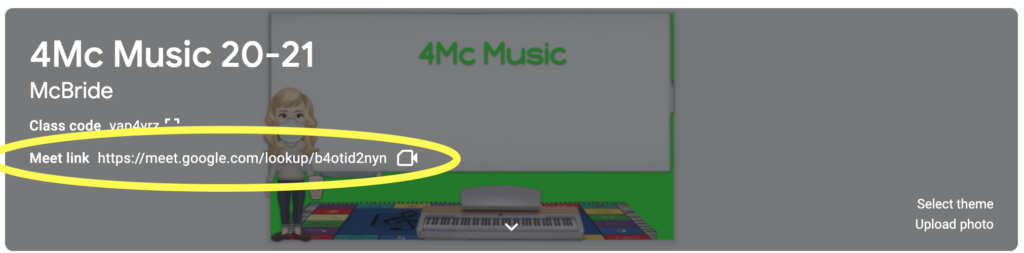
If your school has G Suite for Education, then you have probably set up a Google Classroom. Within Google Classroom, you can create announcements, assignments, rubrics, and forms. Additionally, you can embed a Google Meet link into your class so that you do not have to recreate it for every class, making it easy for younger students to join your Google Meet.
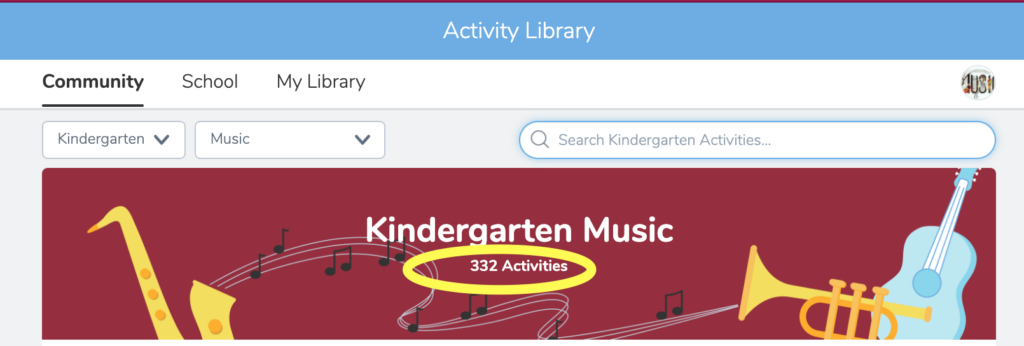
Seesaw is a popular app for younger elementary classes. t is intuitive for all ages. Benefits of Seesaw include student logins without email addresses, the ability to upload video and audio files, and interactive drawing tools. There is also an Activity Library that provides free lessons and activities created by educators.
Schoology is another widely used online learning platform. I do not have much experience using this platform because my school uses Google Classroom and Seesaw. However, teachers who use Schoology love it because it is intuitive for younger students and can easily link to other numerous platforms.
Canvas is a robust system that embeds other apps, such as Flipgrid and Edpuzzle, allowing students to stay within the learning platform. The advantage is that Canvas is a one-stop-shop.
However, for younger elementary, I have found that it is not as intuitive. To successfully navigate this learning platform, young students will need additional help from caregivers. This past summer, I used Canvas when teaching an online course titled STEAM for Elementary Music Educators for Lebanon Valley College. For that scenario, I found Canvas to be a very thorough tool.
Organize Classes in an Online Learning Platform?
Should I have my online classroom, or should I be included as part of each homeroom teachers’ online room?
The answer to this question depends on many different factors. It is often easier to communicate with students, parents, and caregivers because classroom teachers typically interact more frequently with these groups than music educators. However, I would recommend creating an online music classroom because it will be easier to organize your specific music posts and assignments. Whatever situation you find yourself in, communication is vital.
Part 1: Establishing Routine
Part 2: Singing Pandemic Style
Part 3: Deciphering Online Learning Platforms
Part 4: Motivating Student Musicians Online

Contributor
Amy M Burns has taught elementary general music for over 20 years at Far Hills Country Day School, a preschool through grade eight school in NJ. Amy earned her Bachelor’s of Music Education and Performance from Ithaca College and her Master’s of Science…
Discover more from Amy Facebook
 Twitter
 Pinterest
 LinkedIn
 Email
Email Print
Print